One single entrypoint
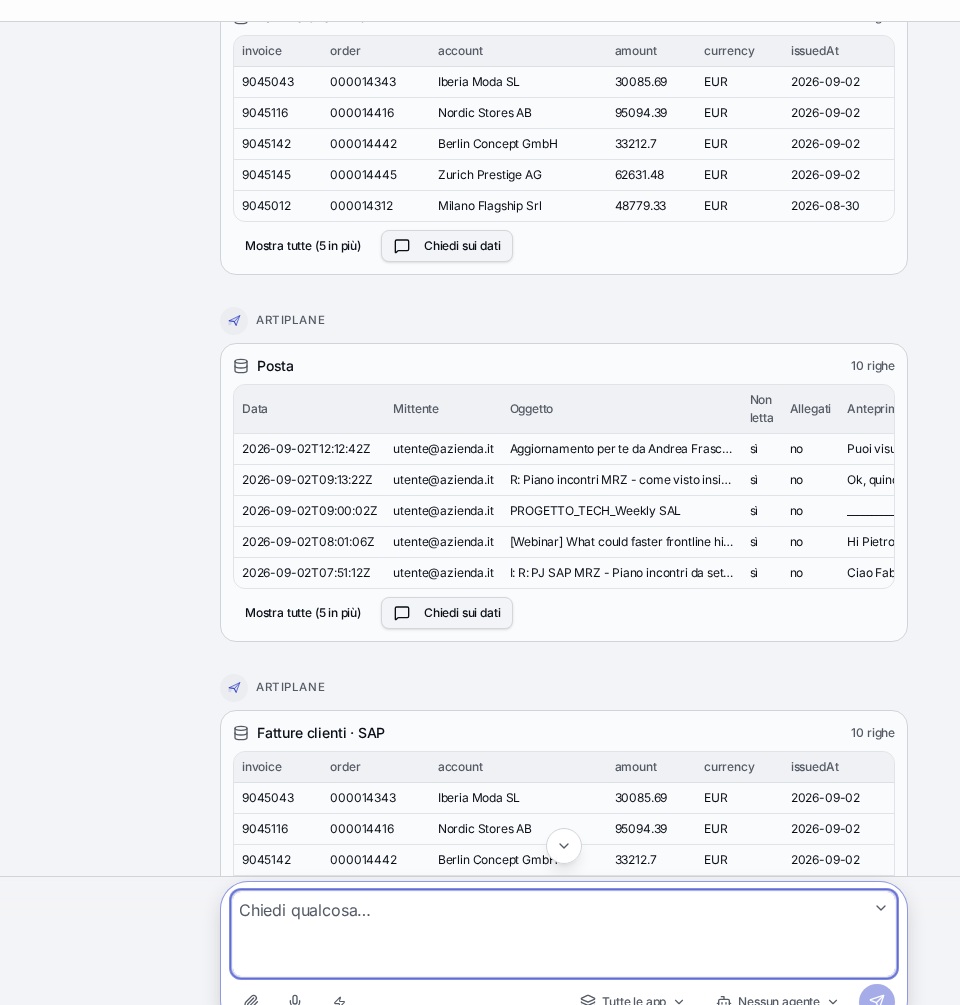
One conversation instead of ten logins. People ask in their own language: Artiplane understands, picks the sources and answers within their permissions.
- User roles and permissions enforced on every query
- Source always cited and linked back to the original record
- Actions on systems only after explicit confirmation
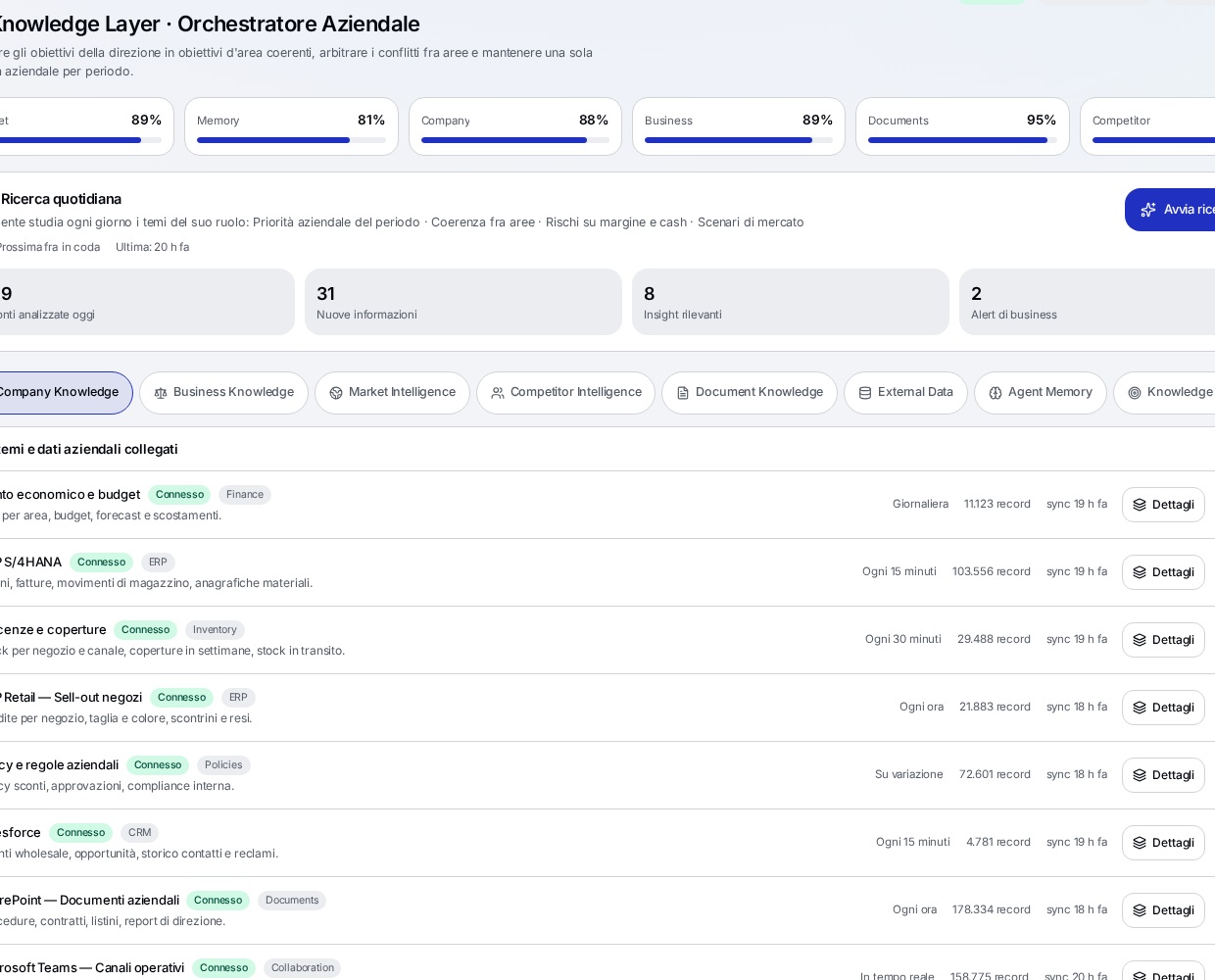
Knowledge Integration Layer
The company's distributed knowledge becomes queryable: documents, structured data, email and unstructured content. And it doesn't stop there — vertical market knowledge is layered on top.
- Chunking, indexing and PII anonymisation before the model
- Eight knowledge layers per agent, with source and usage rule
- Fashion market knowledge: trends, benchmarks, competitive pricing
Business Semantic Layer
Artiplane speaks the language of the business, not just of the data. In Fashion & Retail that means understanding collections, seasons and sell-through as concepts, not columns.
- Collections, seasonality, SKU, sell-through, stock coverage
- Replenishment, allocation, drop, markdown, wholesale and retail
- Business metrics and rules shared by every agent
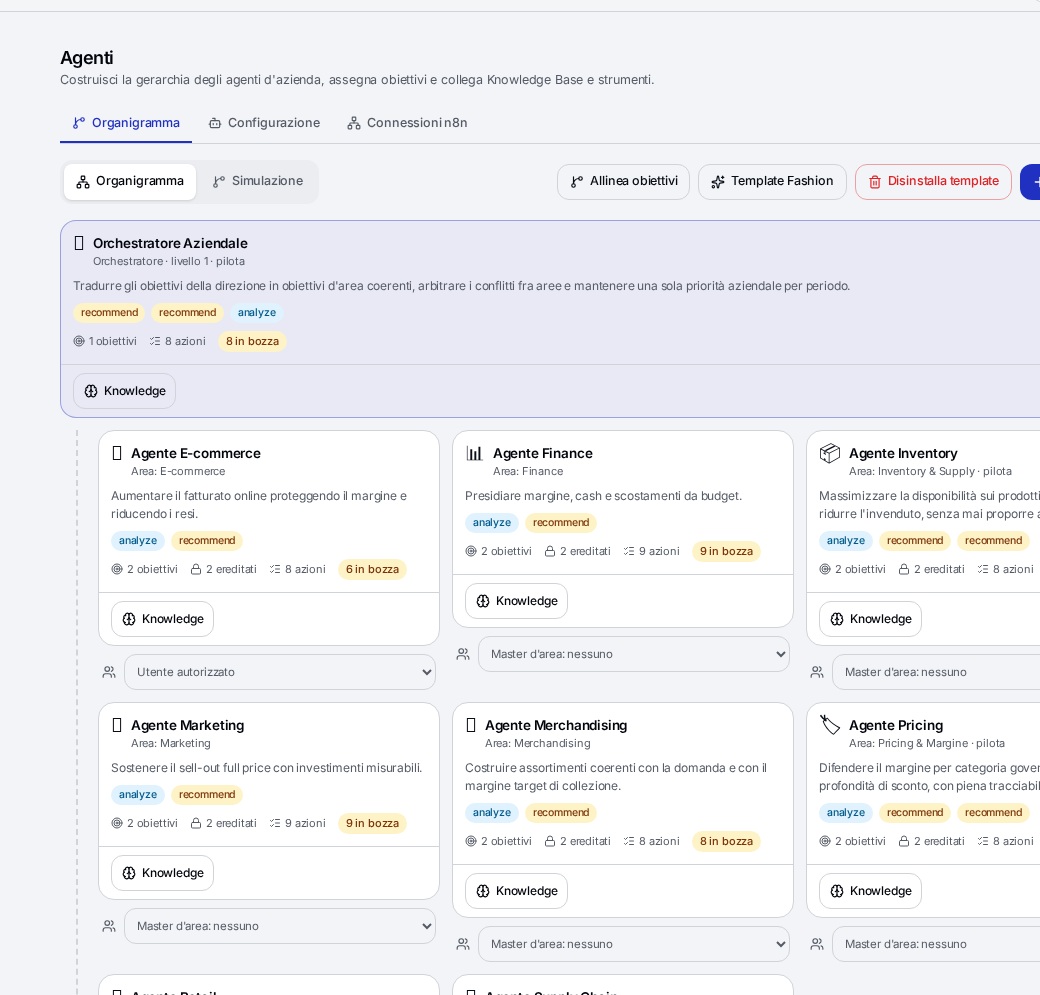
Agent Layer: agents that learn
Vertical agents preconfigured per process and organised in a hierarchy. Goals cascade top-down and each agent generates its own work plan.
- Inherited goals and automatically generated plans
- Continuous learning from data, decisions and approvals
- Autonomy levels per agent, with human gates where it matters
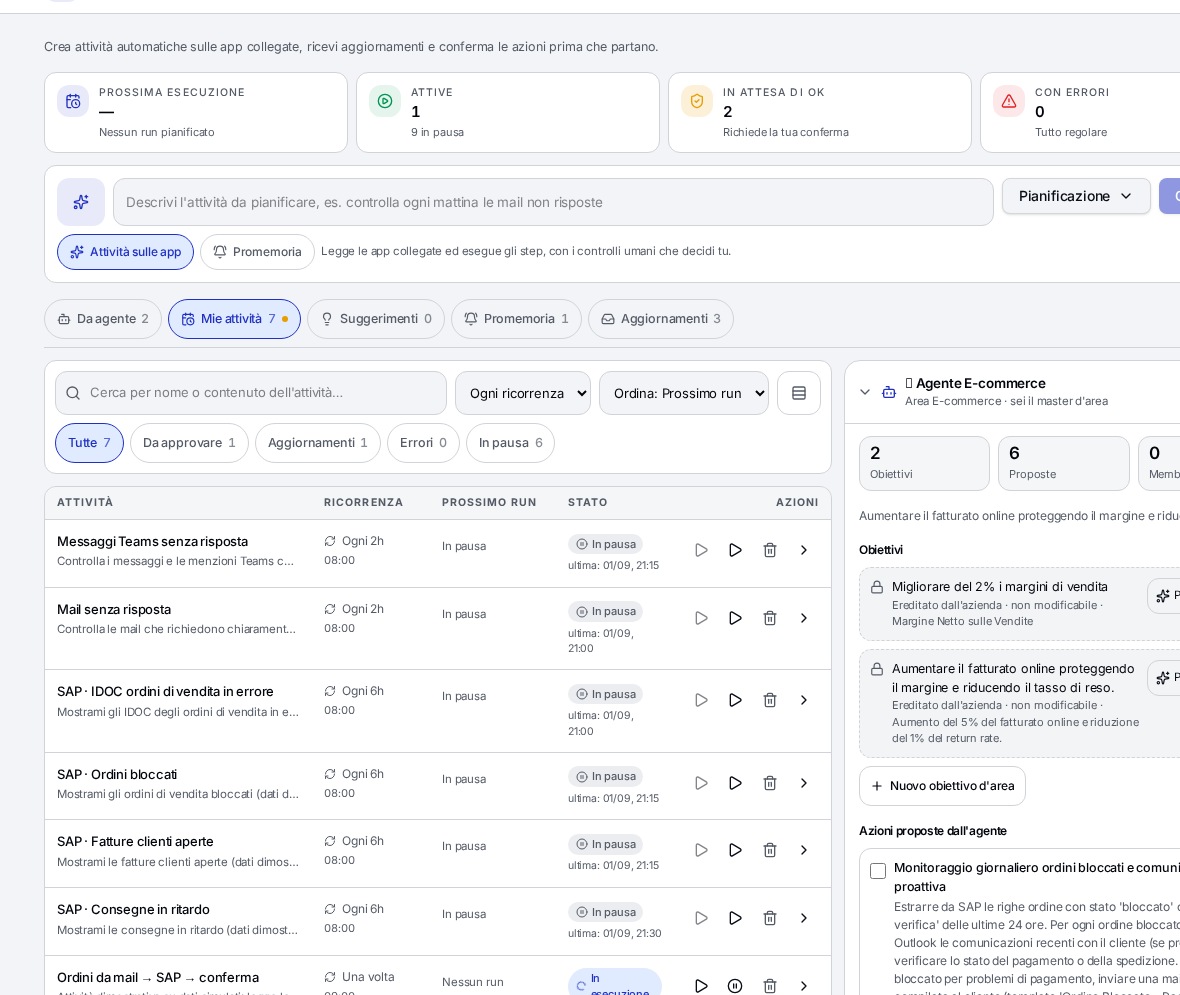
Planned activities and AI Twin
Work doesn't wait for a prompt. Agents run recurring, multi-step activities and report with content, not empty alerts.
- Recurrence, statuses, owners and tabular results
- Human approval gates that spell out exactly what you approve
- Notifications that open in the chat thread, with an auditable trail
Applications and integrations
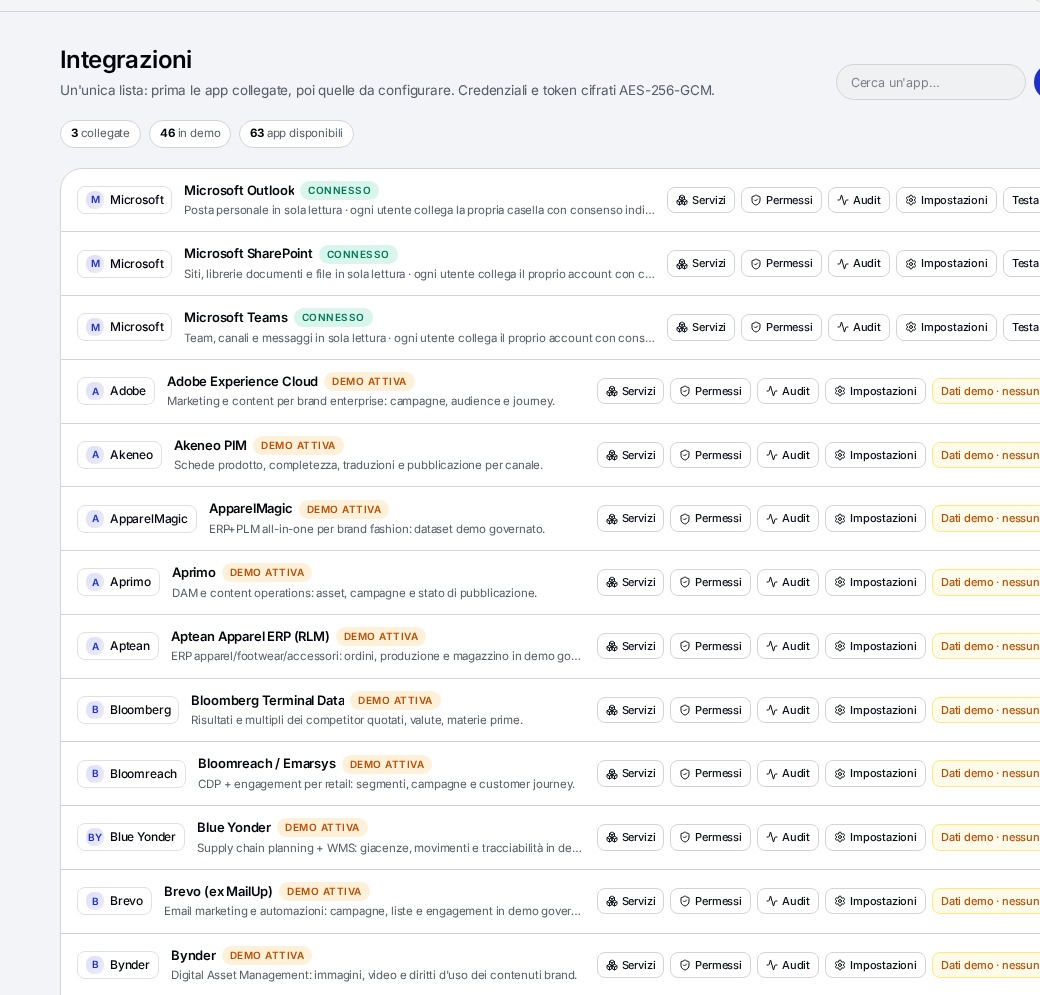
Around 90 enterprise integrations: the platform doesn't replace your systems, it makes them interoperable and intelligent.
- ERP, CRM, PLM, BI, DWH, e-commerce and supply chain
- Microsoft 365, Outlook, Teams, SharePoint, Gmail and Slack
- Governed reads and writes with consent and full traceability
Studio and Copilot
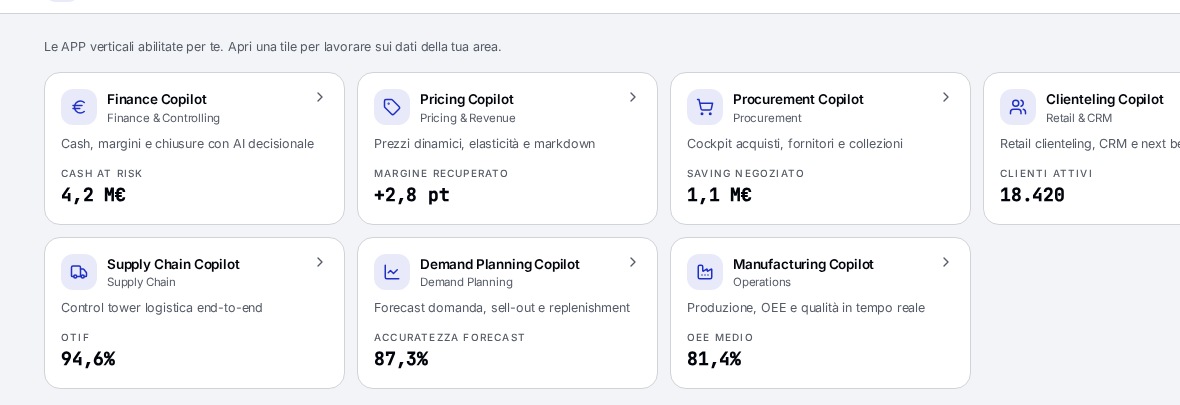
Output doesn't stay in the chat: it becomes documents, decks and departmental apps in the company's own identity.
- Decks and Word files on the company template, with Brand DNA
- Vertical Copilots assigned by area and by role
- Reusable exports: PPTX, DOCX, Excel and PDF
What AI routing decides on
The router doesn't pick "the best model": it picks the cheapest model that solves the task while respecting the area's constraints. Five criteria, applied to every single request.
01 · Request
The user writes in the company chat. No configuration, no manual model choice.
02 · Classification
The request is classified by category, purpose (work or personal) and risk level under the AI Act.
03 · Control gate
Area permissions, personal data detection, company policies and protection against instruction-bypass attempts.
04 · Routing
Selection of the cheapest model that meets the task, within the area's hosting, context and latency constraints.
05 · Verification
The response is checked against the task's criteria, with automatic escalation to a higher-tier model if quality is insufficient.
06 · Accounting
Real cost recorded in micro-euros and attributed to user and area, with the balance updated right after the response.
What the administrator sees
Spend in euros
Spend by area, user and use case, with the gap between estimated and charged cost.
Areas and budgets
Company, area and individual budgets kept consistent, with alert thresholds and top-up workflows.
Interaction log
Every prompt with a SHA-256 fingerprint, model used, risk classification and outcome.
Deployment and data sovereignty
The platform installs wherever the customer decides — no vendor lock-in on infrastructure or on models.
What changes for people at work
- A single interface for all models, with no provider to choose
- Request cost and remaining balance visible right after the response
- Company policies accessible with one click from the chat
- Free personal questions, kept separate from the work context
- Documents and presentations generated with the company template
- No interruption when a provider has an outage
Learn more: how multi-provider AI routing works and how the cost per response is calculated.
Want to see Artiplane on your own use cases?
A 30-minute demo on your real scenario: routing, budget per business area and full interaction tracking.